

Security and encryption
Encryption, two-factor authentication, and account recovery.
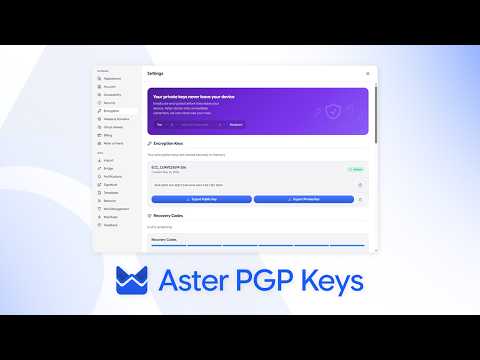
- How Aster encryption works What is encrypted, what Aster can see, and what that means for your mail day to day.
- Turn on two-factor authentication Add a second step to sign-in with an authenticator app, and store your backup codes.
- Recover your account Get back in with a recovery code, and understand why a lost password cannot be reset.
- Verify a contact's keys Compare verification codes so you know you are writing to the right person.
- Report phishing and spam Recognize a message pretending to be Aster, report it, and protect your account.
- Change your password or add a passkey Keep the key to your account strong, and sign in without typing it.
- Review devices and sessions See where your account is signed in, and sign out anything you do not recognize.
- Send an encrypted message to anyone Protect a message with a password when the other person is not on Aster.
- App passwords for other clients Connect a desktop mail client through Aster Bridge with its own password.
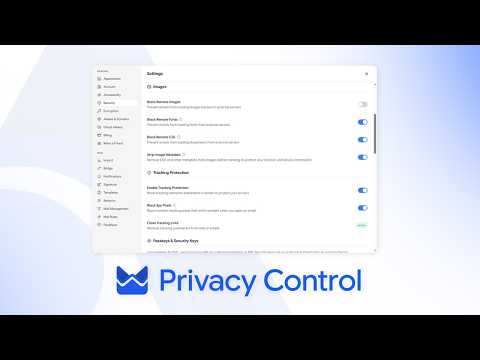
- Privacy controls in your mailbox Block trackers, hide your address, and control what a sender learns.
- Run a security checkup Ten minutes that make your account much harder to lose.
- SPF, DKIM, and DMARC for your domain Set the records that let other providers trust mail from your domain.
- Aster Vanguard and Lockdown Mode Turn on Aster Vanguard to lock Aster Mail with a PIN, set a duress PIN that erases local data, and block every outside connection with Lockdown Mode.
- Lock a folder with a password Put a separate password on a folder so its mail stays hidden from search, notifications, and anyone using your signed-in account.
- Use Aster Mail over Tor Reach your mailbox through Aster's onion address in Tor Browser, and understand what changes when you do.
- Restore sent mail after a password change Reopen sent messages that stayed encrypted with an earlier password, and re-encrypt them with the password you use now.
Videos
Short walkthroughs from the Aster channel.

Still need help?
Contact support. Aster replies here and in your inbox.
- Get help with your account Send a request from your account and read the replies here.
- Can't sign in? Tell us another email address. We send a code there, then reply to it.
- Your support requests See your requests and read the replies.
You can also email hello@astermail.org.