

Settings
Every option in Aster Mail Settings, section by section.
General
- Settings reference Find every section and tab in Aster Mail Settings, with a link to the article that explains each option.
- Appearance settings Change the theme in Aster Mail, turn on dark mode or a color theme, pick your fonts and language, and choose how messages and the composer open.
- Accessibility settings Change the text size in Aster Mail, turn on high contrast, a dyslexia-friendly font, reduced motion, keyboard shortcuts, and Low Network Mode.
- Reading and conversation settings Choose when Aster Mail marks messages as read, group conversations, move the reading pane, and set up translation, undo send, and spam filtering.
- Inbox categories Set up inbox categories in Aster Mail, choose which tabs show in your inbox, mute category notifications, and create your own custom categories.
- Compose, signature, and template settings Add an email signature in Aster Mail, give each alias its own signature, set the default font size and color, and save reusable message templates.
Account and security
- Account settings Change your Aster Mail display name, profile photo, badge, recovery email, and inactivity window, or reset all of your settings from one page.
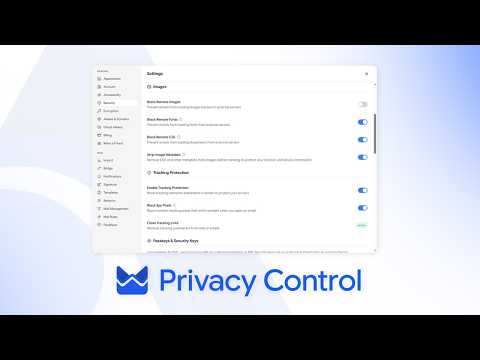
- Security settings Change your Aster Mail password, turn on two-step verification, add passkeys, sign out other sessions, and block trackers from Security settings.
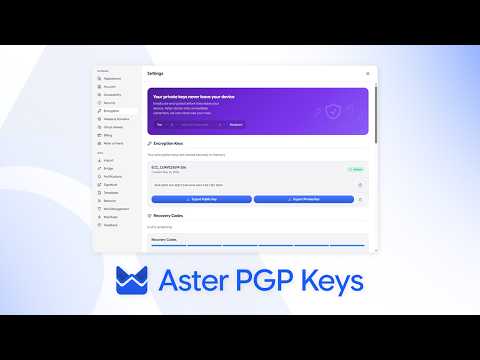
- Encryption settings and PGP keys Export your Aster Mail PGP public or private key, encrypt mail by default, and publish your key to WKD or a keyserver.
- Storage settings See how much Aster Mail storage you use, empty Spam and Trash to free up space, buy more storage with a card or crypto, and pick your storage format.
Plans and billing
- Billing settings and credits Upgrade or cancel your Aster Mail plan, switch to yearly billing, pay by card or crypto, download invoices, use credits, and claim a student discount.
- Family plan settings Manage your Aster Mail family plan by inviting members, reserving an address for your kids, creating shared mailboxes, and setting security rules for everyone.
- Invite friends Invite friends to Aster Mail with your invite link or QR code, add an invite code that you received, and get extra storage for every friend who joins.
Addresses and domains
- Alias settings Create an email alias in Aster Mail, turn aliases on or off, set up directories and ghost aliases, and import or export your aliases as a CSV file.
- Custom domain settings Add a custom domain to Aster Mail, set up its MX, SPF, DKIM, and DMARC records, verify it, rotate your DKIM key, and turn on a catch-all address.
Rules and filters
- Mail rules settings Create mail rules in Aster Mail to sort, star, label, or delete incoming mail, start from a template, and clean up old mail in folders automatically.
- Blocked and allowed senders Block a sender or an entire domain in Aster Mail, unblock senders, and add senders to your allowlist so their mail never goes to Spam.
- Forward mail automatically Forward email automatically in Aster Mail with forwarding rules, verify the address you forward to, and pause or remove a rule at any time.
Apps and data
- Connect external accounts Add another email account to Aster Mail over IMAP or POP3 so its mail shows in your inbox, send from it over SMTP, and choose how often it syncs.
- Export your mail Export your email from Aster Mail as an MBOX or EML file, along with your contacts, settings, and rules, to keep a backup or move to another app.
- Aster Bridge settings Download Aster Bridge for Windows, macOS, or Linux to use Aster Mail in a desktop mail app, manage connected installations, and create SMTP tokens.
- Updates Update the Aster Mail desktop app for Windows, macOS, or Linux, check which version you have, and turn automatic update checks on or off.
- Developer settings Turn on Developer Mode in Aster Mail to see your build info and encryption status, export a debug report for support, and clear the app cache.
- Send feedback Send feedback, share an idea, or report a bug to the Aster team from Aster Mail settings, and open a support request when you need an answer.
Videos
Short walkthroughs from the Aster channel.
Still need help?
Contact support. Aster replies here and in your inbox.
- Get help with your account Send a request from your account and read the replies here.
- Can't sign in? Tell us another email address. We send a code there, then reply to it.
- Your support requests See your requests and read the replies.
You can also email hello@astermail.org.