

การใช้ Aster Mail
ส่ง จัดระเบียบ ค้นหา และตั้งเวลาส่งอีเมลของคุณ
- ส่งและรับอีเมล Write a message, pick the address it comes from, and find mail that has not arrived.
- จัดระเบียบอีเมลด้วยโฟลเดอร์และป้ายกำกับ Use folders, categories, and filters to keep the inbox down to what matters.
- ค้นหาในกล่องจดหมาย Find a message with search operators, and understand what encrypted search can and cannot do.
- เพิ่มนามแฝงและโดเมนของคุณเอง Create aliases for sign-ups, and use an address on a domain you own.
- ตั้งเวลาส่งและเลื่อนอีเมล Send a message later, and move mail out of the inbox until you want it back.
- ส่งและเปิดไฟล์แนบ Attach files, check the size limits, and save what arrives.
- ลายเซ็นและข้อความตอบกลับที่บันทึกไว้ Sign your mail automatically and reuse the answers you write often.
- กรองอีเมลด้วยกฎ Sort, label, and archive incoming mail automatically.
- จัดการรายชื่อติดต่อและกลุ่ม Keep an address book and write to several people at once.
- จัดการสแปมและผู้ส่งที่ถูกบล็อก Train the filter, rescue good mail, and stop senders you do not want.
- ตั้งข้อความตอบกลับอัตโนมัติเมื่อไม่อยู่ Reply automatically while you are away, without telling the whole internet.
- เลิกทำการส่งและใช้งานฉบับร่าง Take a message back, and find the one you started yesterday.
- จัดการจดหมายข่าวและยกเลิกการสมัคร Find every sender you subscribed to, unsubscribe from the ones you don't read, and bring one back.
- จัดระเบียบกล่องจดหมายที่เต็ม Use Quick Actions to archive, delete, snooze, or unsubscribe in bulk instead of one message at a time.
- ตรวจสอบรายละเอียดและส่วนหัวของข้อความ Open message details, copy or download the raw headers, and read the original source of a message.
- ค้นหาข้อความที่ไม่ได้รับ Track down mail that isn't in your inbox, from spam and rules to snoozed messages, locked folders, and disabled aliases.
- ป้องกันไม่ให้อีเมลของคุณตกไปอยู่ในสแปม Fix the authentication and setup problems that send the mail you write into other people's spam folders.
- แก้ปัญหาข้อความที่ส่งไม่ออก Understand the errors that stop a message leaving, from send limits and attachment size to encryption requirements and offline queues.
ดูและเรียนรู้
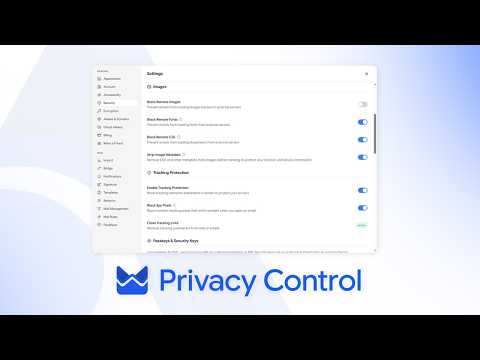
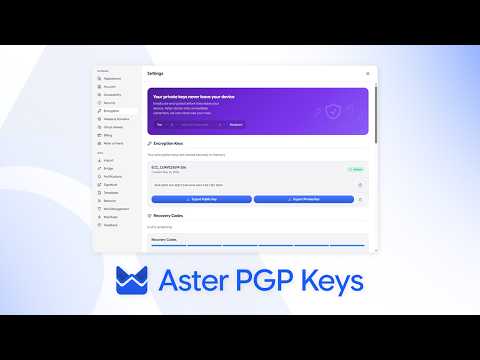
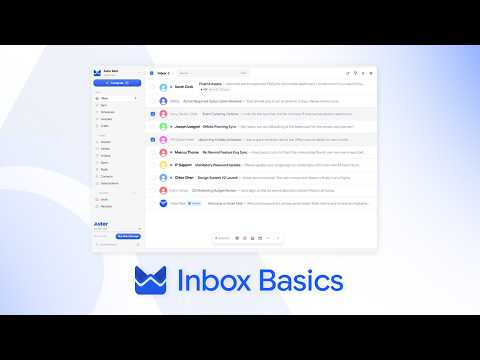
วิดีโอแนะนำสั้น ๆ จากช่องของ Aster
ยังต้องการความช่วยเหลือไหม
ส่งคำขอความช่วยเหลือ แล้วฝ่ายสนับสนุน Aster จะตอบกลับที่กล่องจดหมายของคุณและที่นี่
- ขอความช่วยเหลือจากบัญชีของคุณ ลงชื่อเข้าใช้ Aster Mail เพื่อส่งคำขอและติดตามทุกการตอบกลับได้ในที่เดียว
- ลงชื่อเข้าใช้ไม่ได้ใช่ไหม บอกที่อยู่อีเมลอื่นให้เราทราบ เราจะส่งรหัสไปที่อยู่นั้น แล้วตอบกลับไปที่อยู่นั้น
- คำขอความช่วยเหลือของคุณ ติดตามทุกคำขอที่คุณส่ง และอ่านการตอบกลับจากฝ่ายสนับสนุน Aster
หากต้องการติดต่อฝ่ายสนับสนุนโดยตรง ส่งอีเมลถึง hello@astermail.org