





Ajustes de cifrado y claves PGP
You can export your PGP key and choose how Aster encrypts your mail from Settings > Security > Encryption. Your private key stays on your device unless you export it.
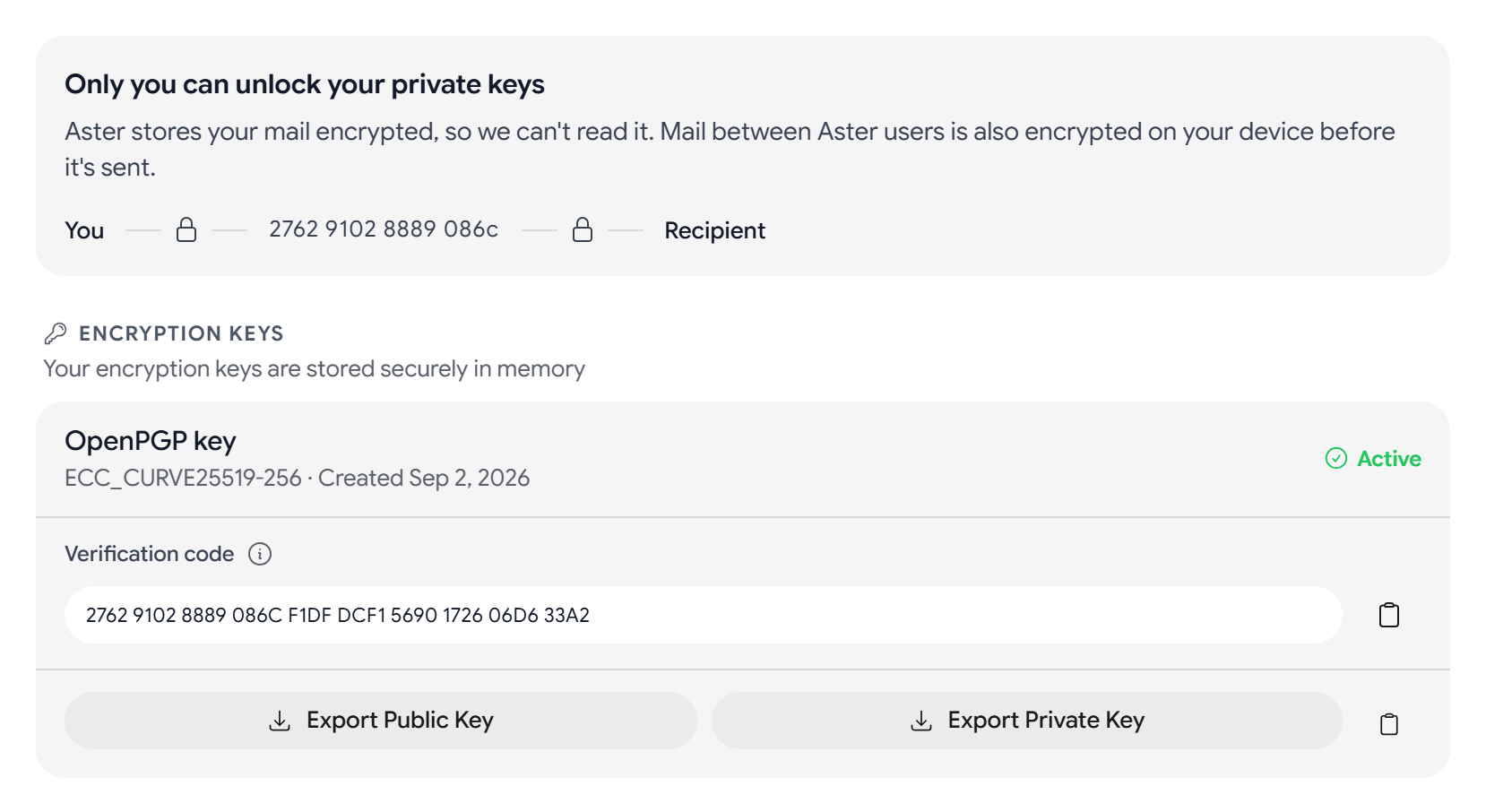
Export your PGP key
- Verification code. If you and a contact compare verification codes and they match, you both know that your messages are private. See Verify a contact.
- Export Public Key downloads your public key as an
.ascfile, so people who use PGP can send you encrypted mail. You can also select Copy public key. - Export Private Key downloads your private key as an
.ascfile. Aster will ask for your password first, and your 2FA code if you use one.
Anybody who has your private key file can read your mail, so keep it somewhere only you can reach.
Find your recovery codes
Recovery codes are on the Security tab, under Account Recovery. Each code restores your account and your encrypted data once. To see or replace them, see Security settings.
Encrypt mail by default
Each option under Encryption Behavior is a switch:
- Auto-discover recipient keys will search WKD and keyservers for a recipient’s key while you write.
- Encrypt by default will encrypt your mail whenever a recipient’s public key is available.
- Hide subject on encrypted mail will move the real subject inside the encrypted message.
- Require encryption will stop a message from sending unencrypted to recipients whose keys are known.
- Show encryption indicators will show a lock on encrypted messages. It is on by default.
- Publish keys to WKD will let other mail apps find your public key through Web Key Directory.
Publish your key to a keyserver
Keyserver URLs lists the keyservers that Aster uses, and https://keys.openpgp.org is always on it. You can add a keyserver by entering its URL and selecting Add.
Select Publish Key to upload your public key. Publication Status will show Published, Awaiting Confirmation, or Not Published. If you publish to keys.openpgp.org, open the confirmation email that it sends you to finish.
Most keyservers can’t fully remove a key once it is published.
Related articles
¿Te ha resultado útil este artículo?