





Configurações de aparência
To change the theme in Aster Mail, go to Settings > Appearance > Appearance and select a theme card. Aster will save each change as soon as you make it.
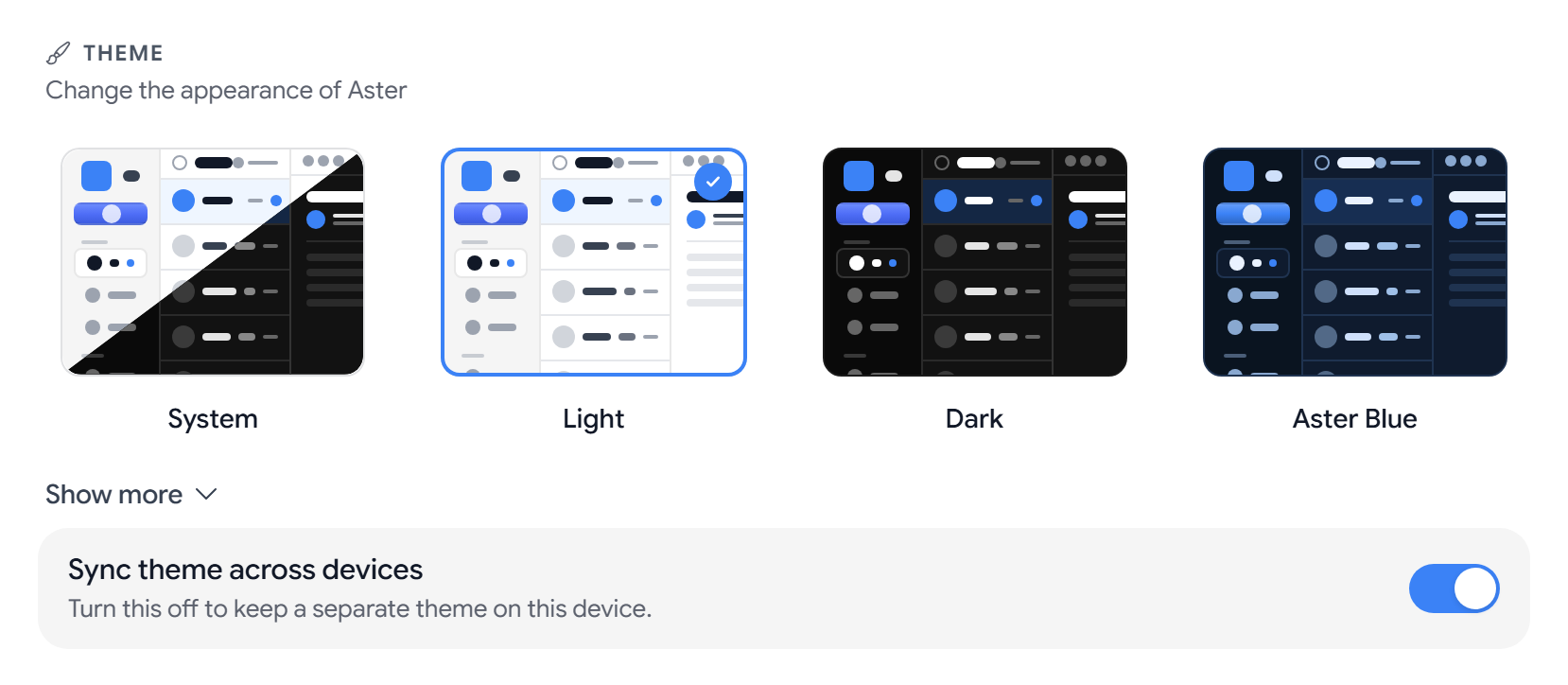
Change the theme
- System follows your device’s light or dark setting.
- Light and Dark use a light or a dark background.
- Aster Blue is a color theme.
- More colors. Select Show more to see Purple, Green, Rose, Orange, Teal, Indigo, Amber, Cyan, Slate, Lime, Fuchsia, Black, Emerald, and Pink.
Every color theme is a dark theme. If you pick one, Aster will switch the app to dark mode with that color as the accent. To go back to a light app, choose Light or System.
Sync theme across devices. This is on by default, so your theme follows your account to every browser and app. If you want a different theme on one device, turn it off on that device.
Create a custom theme
On a paid plan, you can build your own palette under Custom theme > Theme colors.
- Base color. Select the swatch and pick a color, and Aster will generate a full palette from it.
- Single colors. You can change Accent, Accent (hover), Background, Background (secondary), Text, Text (secondary), and Border one by one.
- Undoing a change. Select Reset to automatic next to a color, or Reset all to automatic.
If your plan changes to Free, the custom theme turns off and the app goes back to the default colors.
Change the font
- Font sets the font across the app. The default is Aster Default, and there are 18 others, such as Inter, Roboto, Merriweather, and JetBrains Mono.
- Email font sets the font that you read messages in. The default is Match app font.
Change the language, date format, and time zone
- Language sets the language of the app.
- Time format is 12-hour (1:30 PM) or 24-hour (13:30).
- Date Format is MM/DD/YYYY, DD/MM/YYYY, or YYYY-MM-DD.
- Time Zone is Automatic (device time zone) by default. You can search for a city or region, or select Show all time zones.
Choose how messages and the composer open
- Email view mode. Popup opens a message in a window over the list, Split view shows the list and the message side by side, and Full page replaces the list with the message.
- Density. Comfortable gives list items more space, and Compact fits more on screen.
- Compose window mode. Default - floating popup opens a small window that you can move aside, Always full screen opens the composer over the whole app, and Start minimized opens it collapsed at the bottom of the screen.
Related articles
Este artigo foi útil?